News and thoughts from CS Odessa, maker of the ConceptDraw product line: ConceptDraw PRO, ConceptDraw PROJECT and ConceptDraw MINDMAP.
Showing posts with label writing. Show all posts

Thursday, March 21, 2013

Biggerplate Continued: Steve Rothwell on How to Create a Document

Steve Rothwell of Elstar Consulting provided a refreshing break from the previous heady presentations, guiding attendees through a methodical process of creating a document end-to-end using mind mapping.

I have to say that this is one of those things that I, as a writer, think about a great deal. I use ConceptDraw MINDMAP to think about and plan my articles, blog posts, case studies, and white papers. But I usually leave the map behind once I have a clear understanding of my structure.

I often have this nagging thought that it might be better to put more content into the map so I can have more flexibility later on. So I enjoyed Steve's clear, step-by-step description of how to do just that.

The Benefits of Using Mapping to Write
Those of us who've been around mapping for awhile have a good sense of the advantages mapping brings to writing. But Steve had a nice little list:

  1. The ability to "think visually" and literally see the connections between your thoughts
  2. The ability to easily change structure and flow using drag and drop functionality
  3. Ease of navigation, as you are able to see all your thoughts on one page rather than having to scroll
  4. And the ability to maintain focus, with your objective as the title of the map and the top-level branches a summary of your key points. Steve compares this with the common problem of getting lost in paragraphs and pages of text.

A Three-Step Process
Steve lays out his approach in three simple steps:

  1. Create Content.
  2. Prepare for Export.
  3. Export and Review.

Step 1: Create Content
For me, the first step matched pretty well with how I work. I start with brainstorming (Steve uses the brainstorming feature. Then I, as Steve called it, "sift and summarize," pulling out my key points and putting them into some kind of logical order.

But then he talks about focusing the key topics--not leaving them vague, but putting a sharp point on them. (His example: Rather than just say "Decrease distribution costs," he recommends being more specific: Decrease distribution costs by at least 7 percent." Anybody can put down some general statemen. But it may require some deeper thought and research to put up a specific number--and thought and research is good.

Another difference with my approach is that Steve recommends you start adding text. You know, full sentences, short paragraphs. Interestingly, he also suggests referring to the outline mode to get a better sense of how the article or report is developing.

Step 2: Prepare for Export
To start this section, Steve asked for a show of hands of the people who export to Word. Lots of hands went up. Then he asked how many people were satisfied with the results. I couldn't see any hands from my vantage point (watching this online).

Steve said that part of the problem is that Word styles are very hierarchical, while mind map content isn't. For example, Word styles follow a strict format of Title, Heading 1, Heading 2, Heading 3, Body Text, and so on. Some of my maps have topics that correspond to each of these layers. Some don't. And as you may know, if you export a map that has a branch with one main topic and then some more detailed copy, the detailed copy will come out as a heading. Not good.

So Steve offered three strategies to avoid this:

  1. Restructure the map so that your content conforms to a Word style.
  2. Use an app that gives you more control over Word styles.
  3. Cut and paste all of your more detailed comments into the Notes pane.

Choice #3 seemed to Steve (and to me) the best, as it produced a Word doc that looked most liked what you would expect a report or article to look like. (Obviously, you could avoid all the cutting and pasting by just writing in the Notes pane to begin with.)

Step 3: Export and Review
Once your map is structured to produce the best-looking export, then... export it (after making your dialog box choices and choosing a Word template). Steve recommends reviewing the Word doc for content, and if there are changes to be made, make them in the map, not the doc. When you're happy with the content, export the map again, add the title page, etc. and you are done.

As I say, it's not an approach I've taken. But I plan to give it a try.

Wednesday, October 31, 2012

How to Find a Fresh Angle for Your Writing

Dan Ochiva writes for a select group of top feature film editors. He also runs a popular website, NYCPP: NYC Production and Post News, about film and video production and post-production technology, facility openings and people making film and video industry news in the New York City area.

To stay current with local events—and to stay ahead of industry trends, Ochiva says he searches just about everywhere for news and information. He uses ConceptDraw MINDMAP as a single interface to capture all of these disparate information types.

Hobie: How do you get started on a new article?
Ochiva: Before I start writing, I’ll do a combination of interviews and research. I might visit user forums to see what new issues are on people’s minds, and what’s happening in research and development. I check out industry groups that might be holding meetings or giving talks about future trends. As I go through all this stuff, I'll put it all into a mind map. With so many mixed types of information to deal with, mapping helps me pull it all together and make sense of it.

Hobie: How did you first find out about mind mapping?
Ochiva: I started out just trying to find a better way to manage information. That led me to reading about mind mapping. At first, I did my own version of it. I’d buy these big sketch books—two or three feet on a side—and tape sheets to the wall, and hand draw the maps. I worked that way for a few years, and it helped. But then mind mapping software came along.

Hobie: You wrote an article about storage and networking in film and video post-production. But you were telling me that since these are such big topics, you wanted to find a way to focus what you wrote to help readers get their brains around something so complex. How did mind mapping help you do that?
Ochiva: There’s a certain kind of insight that comes from using mind mapping. I think that's due to a combination of seeing relationships between things and from being able to see everything on one screen. In planning the storage and networking article, I could see at a glance that a lot of people were thinking and writing about how hard it was to get the technology to work with the rest of the editing suite. So that helped me see a trend that I could address in my article. Being able to spot a trend early on is a great skill for a journalist to have, and mind maps really help you see the connections that are leading to trends.

Hobie: So how do you go from mapping to writing?
Ochiva: I use ConceptDraw's built-in numbering capability to organize the different nodes of the map into something that’s more or less what I think the final article will develop into. Then I just export it out as an RTF file, and just go from there. And I find that this saves me time and frustration since I don’t have to go through so many iterations to get to the final structure.

Hobie: Do you see yourself continuing to use mapping?
Ochiva: Oh, yeah. There've been some major changes in the industry over the years. So there’s a lot of information to keep in your head, juggle, and pull together to make sense of new developments. Mind mapping is by far the best way I've found to keep information fresh and viable because I can organize all this information in a way that makes sense to me. Instead of having to review a big file I've created, I can just scan the map. And it's easy to drop new information and ideas into the map as they occur. At the same time, I can visually navigate to go deeper into any one section of the map if I want more detail.

Hobie: Do you think mapping is particularly well-suited to writers?
Ochiva: I think that mind mapping helps you bring form to the information you’ve gathered and the ideas that've come from it. Knowing that you can add structure to information and ideas, and that that structure will make sense to you in the future, that’s a great benefit to me as a writer—and a great relief.

Learn more about how the ConceptDraw product suite can focus and accelerate your thinking.

Thursday, August 16, 2012

3 Keys to Writing 4 Articles About 5 Ways to Succeed

I have spent time lately browsing around to see what kind of business writing tips are available on the web. Pretty flat landscape... IMHO. Blogs are full of clever little articles that follow the hackneyed format of providing X number of tips, tricks, and trivia (8 Ways to Build Your Blog Traffic, 10 Things That Make Great Headlines, 15 Ways to Make Your Team More Team-Like, 297 Ways to Run a Better Meeting).

I've read the studies that say this format generates more traffic. But in my experience after you read five or ten of these, you've pretty much had your fill. I mean, can everything really be reduced to a handful of crisp bullet points?

I was talking to a friend who tweets. I was telling her that it seems like 90% of the tweets I get are much the same--nothing more than armchair philosophizing: "To serve the meal of success one must first taste failure"; "It is only by talking that we truly communicate" and so on... You could sit around all day and make these things up. But she said the sends out a lot of that stuff because people love it. I don't get it.

I'm not saying that blogs or tweets needs to be masterworks of literature. I just think it would be refeshing if people blogged about things they cared about, rather than trying to come up quick and easy ways to "fill a page." It just seems like so many people have blogs because... because they want to be bloggers, I guess.

I'm a writer, and I think it is great when people are moved to put words down on the page. I just think it would be better for all if there was some connection, some emotion in what is being written. Otherwise, we reduce or our common body of thought to a vortex of numbered lists about numbered lists.

Tuesday, August 14, 2012

How to Impress New Clients from Day 1

I read an interesting post today about how freelance writers can build strong, professional relationships with new clients. The post is on Freelance Switch and is about creating a smooth client intake process.

The gist of the article is that it makes a lot of sense to develop a repeatable way to bring new clients into your work process and your world. I've made a map of the blog post:

The author of the post, Thursday Bram, points out two distinct benefits of creating a repeatable client intake process:

1. By presenting the client with a well-ordered process, you immediately present yourself as a professional who knows how to get the job done--with the least pain and stress to your client.

2. By creating a repeatable process, you make it easier (should this happy day come), for you to pawn off some of this early client interaction onto your assistant.

Both of these benefits can mean more money in your pocket, a less-stressful experience for your client and, who knows, maybe a decent starting income for someone who's just getting into the game and is ready to assist you and learn from you.

As Bram notes, it's critical to gather this information in a way that you can put it right into the writing process. So you can gather all your client intake info in a CD MINDMAP, organize it and add to it, then export it all to an MS outline and get to work. By jove! Brilliant!

Wednesday, August 8, 2012

Beating Back Writer's Block

Writer's block: Maybe the scariest two words for people who live and die by the output of their word processing programs.

I've been looking around the blogosphere lately to see what issues on are the minds of writers. Not surprisingly, writer's block is a big one--especially for people who do a lot of blogging. I can understand that. Blogging is like daily journalism: Blank front pages don't go over very well with your readership.

Some people trigger new ideas by using prompts--opening a book or web page at random and using something on the page as a starting point. Other people do stream-of-consciousness writing. Still others review past writing/posts--and the metrics for those posts, try to find clues to what topics people are most interested in, and then see if they can deepen that topic.

There are lots of tricks and tools to trigger our creative thinking. We, of course, think that mind mapping is one of the best ways to to it. But what about you? What do you do to keep the ideas flowing so that you don't smash into blank pages--at least not too often?

Tuesday, July 31, 2012

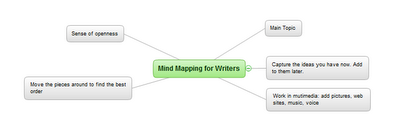
Mind Mapping for Writers

by Hobart Swan


My goal in this article is to describe how you can use ConceptDraw MINDMAP to make your writing faster, easier, and more coherent. The crux of my argument will be the use of outlines. But before you drift into a painful reverie of high school English assignments, let me make a distinction: I’m not talking about the kind of linear process that forces you to stare at a blank page until you determine the very first thing you want to write. I’m talking about mind-mapped outlines that, for many writers, provide a sense of openness and liberation instead of restraint and anxiety. 

This approach to writing isn’t for everybody. There are as many approaches to the craft of writing as there are models of cell phones. But because mind mapping can be so transformative for some people, I encourage you to read on and see if it makes sense to you.

Marshalling your ideas

Let me start by saying that to prepare to write this article, I opened a mind map and just started jotting down, in no particular order, some of the things I wanted to address:


Figure 1: Quickly getting started

 
I’m not yet concerned with how the article will come together. I’m just brainstorming—entering ideas as they come to me. Later in the process, there will be time for detail (infinite detail, if that’s the way you like to prepare). In this very early stage, my goal is to capture as many ideas as I can. The following image may be too small for you to read. (If you want to see more detail, click on the link below the image to go to the ConceptDraw web site, where you can download a free trial version.) But it should give you an idea of how my ideas evolve and how the map automatically creates space on the page for me to capture them:

Figure 2: Automatic organization
The process of adding new ideas is as simple as using the Enter and Insert keys. ConceptDraw MINDMAP makes the process fast so you don’t have to pay attention to where on the page your new idea should go. You can simply keep your attention on coming up with ideas, and let the interface do the rest. 

The goal is to capture lots of ideas. But this isn’t a hard and fast rule. At any point in the process, you may decide that you want to do more thinking on one of the ideas. For instance, I want to do more thinking about the idea of how the creative writing  process can, at times, fall somewhere between composing a piece of music and painting:
Figure 3: Adding details
 
I could go back into the map and start embellishing more ideas. But I don’t want to get ahead of myself. There are lots of other things I want to make sure I put in this article. So I continue building up the map of my ideas.

Managing your ideas

At the top left of the above image, for instance, I added a branch labeled “mapping out.” This branch is particularly relevant for people who need to do a lot of research. This could be research about characters, places, plots, and chronology.

Figure 4: Various research topics
 
There are lots of things I want to say about this section. So I use one of my favorite features of ConceptDraw MINDMAP and turn this branch into its own map. I just put my cursor on the branch, right click, and choose “Send to new page” and I have a brand new map: 
Figure 5: Sent to a new Page
 
Now I can start adding ideas on how you can use mind maps to organize information on these topics:

Figure 6: Fleshing out the research
 
Note that right up above the center of the map is a little piece of chain: 

Figure 7: Hyperlink icon detail
 
The chain icon symbolizes a hyperlink. When you created that new map, ConceptDraw automatically created a link from this map back to the first map you created. And on that map, you’ll see another link of that will take you from the main map to the “mapping out” map. In this way, you can quickly toggle back and forth between the two maps.

Figure 8: Original map w/link icon
 
Using mind mapping this way can be an awesome jump start to your writing process. Now that we’ve got the basic concept down, tune in next week and we’ll delve into a “case study” of how to use mind mapping for planning a larger work.

Tuesday, August 31, 2010

Mindmapping for writers

If you're interested in learning more about how to use mind mapping as a tool for writing, check out my 3-part series. It can be found at:

1. The Writerly Life: Mind Mapping for Writers: If you're more artist than engineer, this approach is for you.

2. Nick Daws' Writing Blog: Mind Mapping for Writers: If you're more artist than engineer, this approach is for you.

The series takes you from brainstorming and organizing ideas to progressing from ideas in a map to words on a page.