News and thoughts from CS Odessa, maker of the ConceptDraw product line: ConceptDraw PRO, ConceptDraw PROJECT and ConceptDraw MINDMAP.

Thursday, August 16, 2012

3 Keys to Writing 4 Articles About 5 Ways to Succeed

I have spent time lately browsing around to see what kind of business writing tips are available on the web. Pretty flat landscape... IMHO. Blogs are full of clever little articles that follow the hackneyed format of providing X number of tips, tricks, and trivia (8 Ways to Build Your Blog Traffic, 10 Things That Make Great Headlines, 15 Ways to Make Your Team More Team-Like, 297 Ways to Run a Better Meeting).

I've read the studies that say this format generates more traffic. But in my experience after you read five or ten of these, you've pretty much had your fill. I mean, can everything really be reduced to a handful of crisp bullet points?

I was talking to a friend who tweets. I was telling her that it seems like 90% of the tweets I get are much the same--nothing more than armchair philosophizing: "To serve the meal of success one must first taste failure"; "It is only by talking that we truly communicate" and so on... You could sit around all day and make these things up. But she said the sends out a lot of that stuff because people love it. I don't get it.

I'm not saying that blogs or tweets needs to be masterworks of literature. I just think it would be refeshing if people blogged about things they cared about, rather than trying to come up quick and easy ways to "fill a page." It just seems like so many people have blogs because... because they want to be bloggers, I guess.

I'm a writer, and I think it is great when people are moved to put words down on the page. I just think it would be better for all if there was some connection, some emotion in what is being written. Otherwise, we reduce or our common body of thought to a vortex of numbered lists about numbered lists.

Wednesday, August 15, 2012

Tango Tab: Dining to End Hunger

This post has nothing to do with mind mapping--just a pretty cool idea you might be interested in. It's about Tango Tab, a new company that works with restaurants to help them fill seats during slow times of the day.

In return, restaurants who are able to fill seats that day pay a small fee to Tango Tab. Tango Tab then takes a portion of that fee and donates it to local organizations and agencies fighting hunger. One of those rare Win-Win-Wins...

Tango tab says it has donated more than 90,000 meals at local food banks to people in need. So far, the company works with restaurants in Chicago, Dallas, Fort Worth, Hoboken, Los Angeles, New York City, Oklahoma City, Toronto, and Westchester (NY).

Maybe you could tell your local favorite eateries about it (or better yet, see if you can get a story in the local paper about it), and see if you can bring Tango Tab to your area.

Tuesday, August 14, 2012

How to Impress New Clients from Day 1

I read an interesting post today about how freelance writers can build strong, professional relationships with new clients. The post is on Freelance Switch and is about creating a smooth client intake process.

The gist of the article is that it makes a lot of sense to develop a repeatable way to bring new clients into your work process and your world. I've made a map of the blog post:

The author of the post, Thursday Bram, points out two distinct benefits of creating a repeatable client intake process:

1. By presenting the client with a well-ordered process, you immediately present yourself as a professional who knows how to get the job done--with the least pain and stress to your client.

2. By creating a repeatable process, you make it easier (should this happy day come), for you to pawn off some of this early client interaction onto your assistant.

Both of these benefits can mean more money in your pocket, a less-stressful experience for your client and, who knows, maybe a decent starting income for someone who's just getting into the game and is ready to assist you and learn from you.

As Bram notes, it's critical to gather this information in a way that you can put it right into the writing process. So you can gather all your client intake info in a CD MINDMAP, organize it and add to it, then export it all to an MS outline and get to work. By jove! Brilliant!

Thursday, August 9, 2012

ATTN Freelance Writers: You are Project Managers too.

As a freelance writer, you can get in trouble when you have too many writing projects going on at once. Each project is always at a different stage. Each one needs something different to move it forward. It can drive you seriously nuts (been there).

If you don't already, you need to think of yourself as a sometime writer, sometime project manager. ConceptDraw can help you assume this role without having to attend ze L'Universite de Project Management.

Here's the kind of map I use every week to keep track of my contracts. It takes me just a few minutes to create and update the map, which I do at the end of every day:

The map lets me see AT A GLANCE where I am with all of my work. I can visually track the milestones of each project. I can tell by the various icons that I have attached relevant documents, be they Word docs, emails, mind maps, or just notes to myself. I can add notations about things that went on during a phone call. I can add reminders. But best of all, I have all my projects--and direct links to all my documents, in one easy-to-read document.

Download a ConceptDraw MINDMAP free trial and give it a try. And enjoy your new status as a bona fide project manager.

Wednesday, August 8, 2012

Beating Back Writer's Block

Writer's block: Maybe the scariest two words for people who live and die by the output of their word processing programs.

I've been looking around the blogosphere lately to see what issues on are the minds of writers. Not surprisingly, writer's block is a big one--especially for people who do a lot of blogging. I can understand that. Blogging is like daily journalism: Blank front pages don't go over very well with your readership.

Some people trigger new ideas by using prompts--opening a book or web page at random and using something on the page as a starting point. Other people do stream-of-consciousness writing. Still others review past writing/posts--and the metrics for those posts, try to find clues to what topics people are most interested in, and then see if they can deepen that topic.

There are lots of tricks and tools to trigger our creative thinking. We, of course, think that mind mapping is one of the best ways to to it. But what about you? What do you do to keep the ideas flowing so that you don't smash into blank pages--at least not too often?

Tuesday, July 31, 2012

Mind Mapping for Writers

by Hobart Swan


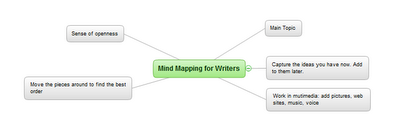
My goal in this article is to describe how you can use ConceptDraw MINDMAP to make your writing faster, easier, and more coherent. The crux of my argument will be the use of outlines. But before you drift into a painful reverie of high school English assignments, let me make a distinction: I’m not talking about the kind of linear process that forces you to stare at a blank page until you determine the very first thing you want to write. I’m talking about mind-mapped outlines that, for many writers, provide a sense of openness and liberation instead of restraint and anxiety. 

This approach to writing isn’t for everybody. There are as many approaches to the craft of writing as there are models of cell phones. But because mind mapping can be so transformative for some people, I encourage you to read on and see if it makes sense to you.

Marshalling your ideas

Let me start by saying that to prepare to write this article, I opened a mind map and just started jotting down, in no particular order, some of the things I wanted to address:


Figure 1: Quickly getting started

 
I’m not yet concerned with how the article will come together. I’m just brainstorming—entering ideas as they come to me. Later in the process, there will be time for detail (infinite detail, if that’s the way you like to prepare). In this very early stage, my goal is to capture as many ideas as I can. The following image may be too small for you to read. (If you want to see more detail, click on the link below the image to go to the ConceptDraw web site, where you can download a free trial version.) But it should give you an idea of how my ideas evolve and how the map automatically creates space on the page for me to capture them:

Figure 2: Automatic organization
The process of adding new ideas is as simple as using the Enter and Insert keys. ConceptDraw MINDMAP makes the process fast so you don’t have to pay attention to where on the page your new idea should go. You can simply keep your attention on coming up with ideas, and let the interface do the rest. 

The goal is to capture lots of ideas. But this isn’t a hard and fast rule. At any point in the process, you may decide that you want to do more thinking on one of the ideas. For instance, I want to do more thinking about the idea of how the creative writing  process can, at times, fall somewhere between composing a piece of music and painting:
Figure 3: Adding details
 
I could go back into the map and start embellishing more ideas. But I don’t want to get ahead of myself. There are lots of other things I want to make sure I put in this article. So I continue building up the map of my ideas.

Managing your ideas

At the top left of the above image, for instance, I added a branch labeled “mapping out.” This branch is particularly relevant for people who need to do a lot of research. This could be research about characters, places, plots, and chronology.

Figure 4: Various research topics
 
There are lots of things I want to say about this section. So I use one of my favorite features of ConceptDraw MINDMAP and turn this branch into its own map. I just put my cursor on the branch, right click, and choose “Send to new page” and I have a brand new map: 
Figure 5: Sent to a new Page
 
Now I can start adding ideas on how you can use mind maps to organize information on these topics:

Figure 6: Fleshing out the research
 
Note that right up above the center of the map is a little piece of chain: 

Figure 7: Hyperlink icon detail
 
The chain icon symbolizes a hyperlink. When you created that new map, ConceptDraw automatically created a link from this map back to the first map you created. And on that map, you’ll see another link of that will take you from the main map to the “mapping out” map. In this way, you can quickly toggle back and forth between the two maps.

Figure 8: Original map w/link icon
 
Using mind mapping this way can be an awesome jump start to your writing process. Now that we’ve got the basic concept down, tune in next week and we’ll delve into a “case study” of how to use mind mapping for planning a larger work.

Thursday, May 31, 2012

Vehicular Networking Solution Blog


CS Odessa’s latest addition to ConceptDraw Solution Park is the Vehicular Networking Solution for ConceptDraw PRO. Developed with assistance from researchers at Concordia University, this Solution puts ConceptDraw PRO at the forefront of diagramming for an exciting and rapidly growing area of network administration: global/vehicular networking.

This Solution contains two new templates (with example drawings), and  a huge variety of new library objects, all custom tailored to meet the challenges of mapping mobile Wi Fi networks onboard planes, trains, automobiles, and many more. The included templates help network engineers represent both local and global vehicular networks.

The first template, Local Vehicular Networking, is best used to describe communication between vehicles and stationary nodes in wireless networks, and to account for challenges presented by architecture within those networks. The second template, Global Networks, can be used to map wireless communication between vehicles, earth-based nodes, and space-based nodes on a continental and global scale. The library for this template also includes large architecture elements such as cities.

The new templates and library objects are an essential toolkit for todays’ network administrators, as demand for mobile Wi Fi shows no signs of slowing and vehicle manufacturers are racing to add hotspot technology to their products. Line objects specifically styled for representing fiber optic, wireless, and sensor network connections make visualizing connections between satellites, planes, transmitter towers, ships, cars, and many more virtually effortless.

Putting vehicular network diagrams together using these elements is simple and efficient. Check out these quick video tutorials to get an idea of how easily you can get started with the ConceptDraw Vehicular Networking Solution.


 21 day free trials of ConceptDraw PRO 9, the Vehicular Networking Solution, and all ConceptDraw products are available on ConceptDraw.com. Click on “Join Us” in the upper right of the homepage to get started. You can also follow @ConceptDraw on Twitter to stay current with the latest news and product releases. And of course stay tuned to our blog here for more tips, tricks and exciting announcements!